Connecting to the MetaMiner DB
In several situations you may need to connect directly to your MetaMiner database. MetaMiner currently supports the following repository database:
- Postgres
- Postgres embedded (Infolytik provided)
- Oracle
- MS SQL Server
End-of-Life Warning for Oracle and MS SQL Server MMDBs
Support for Oracle and MS SQL Server as MetaMiner database backends is being phased out. New installations should use PostgreSQL. Existing installations should plan migration to PostgreSQL.
The following sections describe connecting to the MMDB from various tools. Take note that if you wish to make modifications to your MMDB directly, you will need a read/write account.
PGAdmin3 in MetaMiner
As Postgres is the forward direction of the MetaMiner platform, we've put together in the Postgres section below a brief video that takes you though the end-to-end steps to use the included PGAdmin3 tool to manage your MMDB.
Postgres MMDB
In some cases, you may want to directly access your MetaMiner DB (MMDB). The video below describes how to do this:
MS SQL Server MMDB
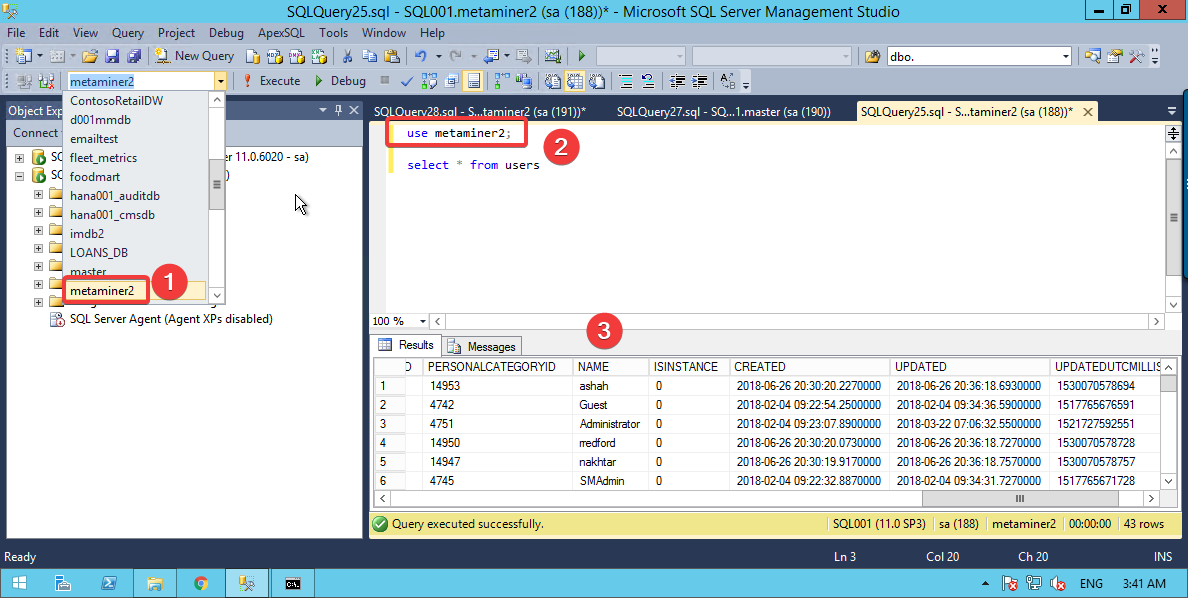
Organizations who use SQL Server can launch Microsoft SQL Server Management Studio, TOAD or another tool of their choice to connect to their MMDB.
The screenshot below show a Management Studio session (1) connecting to the metaminer2 database, activating the database
and confirming the connection by (2) running a simple query against the USERS table and (3) observing the results.
Oracle MMDB
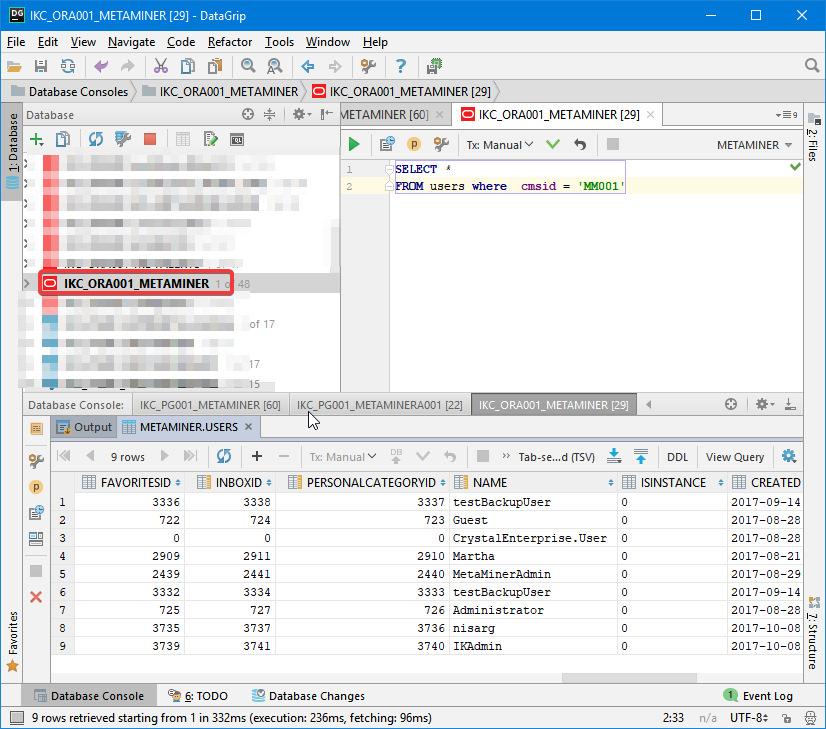
Organizations who use Oracle can launch SQL Developer, DataGrip or another preferred tool to connect to MetaMiner.